|
This post will serve as a summary of a presentation I gave recently on Message Abstraction. We will start with a survey of messaging in LabVIEW and finish with an implementation of the Mediator design pattern (code included, scroll all the way to the bottom to download).  A very general definition of the word message is the passing of information between two nodes. In LabVIEW this simple definition maps nicely to the idea of dataflow. 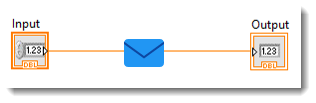 This passing of data on the wire between the input and output nodes is a very simple form of messaging. We can analyze the simple diagram above and discover the three components that make up a message. 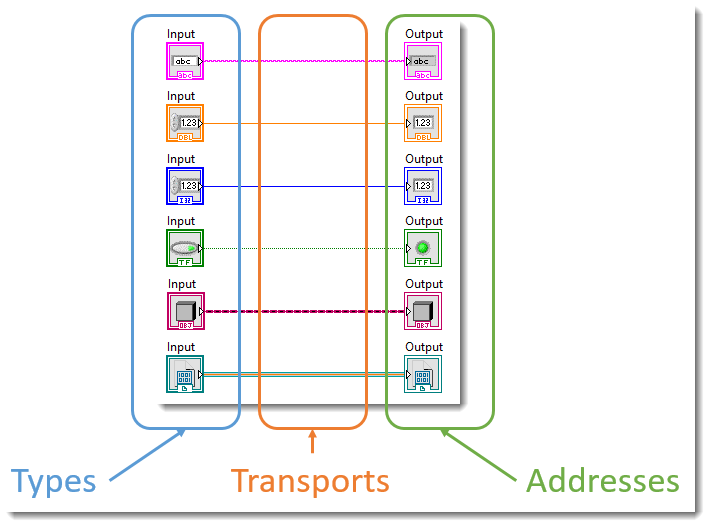 Messages have types, transports and addresses. The type defines the kind of information that the message will contain. The transport defines how the message will be transferred. The address defines where the message will go. Dataflow illustrates this nicely as the data flows from the control, which defines the type, over the wire, which acts as the transport mechanism, to the indicator. The idea of the indicator as the address as labeled in the image above is not really accurate in LabVIEW. It turns out that the wire is actually the address. 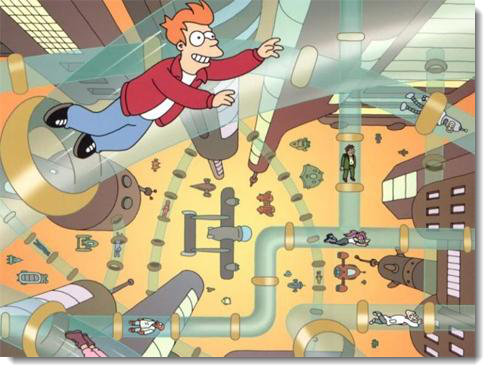 The wires on the block diagrams are analogous to pneumatic tubes. The pneumatic tubes in the image above serve as both transport and address because anybody who jumps in on one side has nowhere to go but out the other. 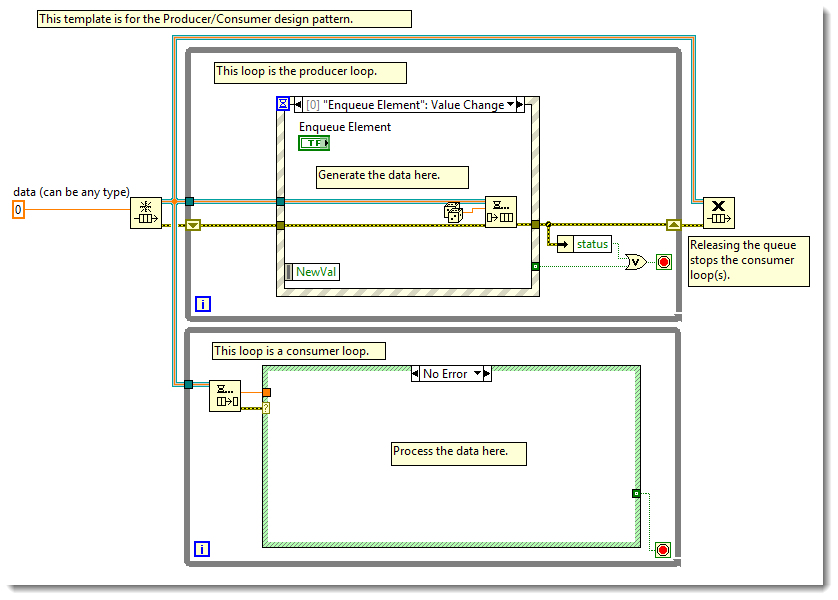 As our applications grow in complexity our solutions must adapt. In the image above we have changed our message transport from a data wire to a queue in order to accommodate a multi loop architecture. Using the queue as our message transport allows us to pass information between loops as well as VI's. Note that the transport is still the address, it is just differently scoped than the data wire. 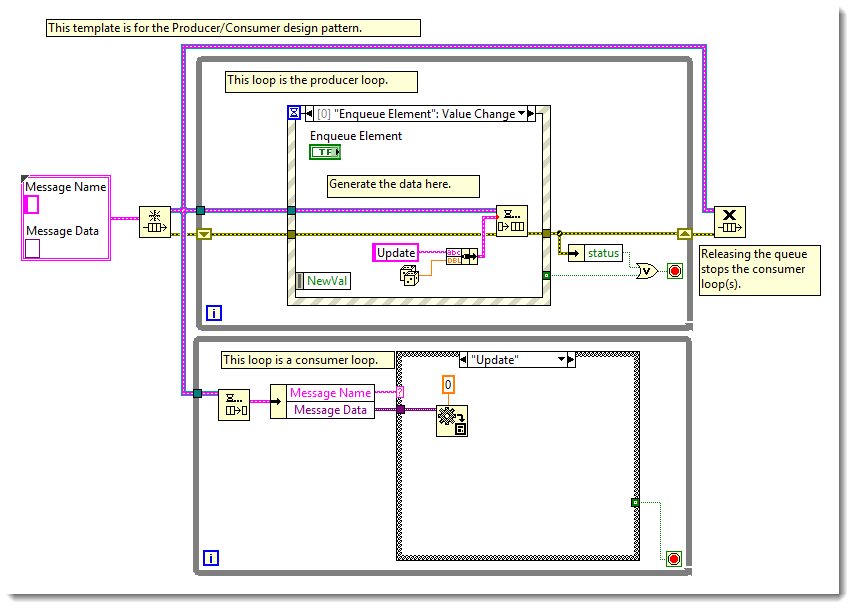 We can further improve upon our design by abstracting the type of our message. Notice that in the image above, the typing of our message has changed from a scalar double precision real number to a type defined cluster of string and variant. This abstraction has two benefits; the first benefit is that we can use the variant to put any type of information that we want into our message, the second benefit is that the addition of the string gives us more granular resolution on our address. 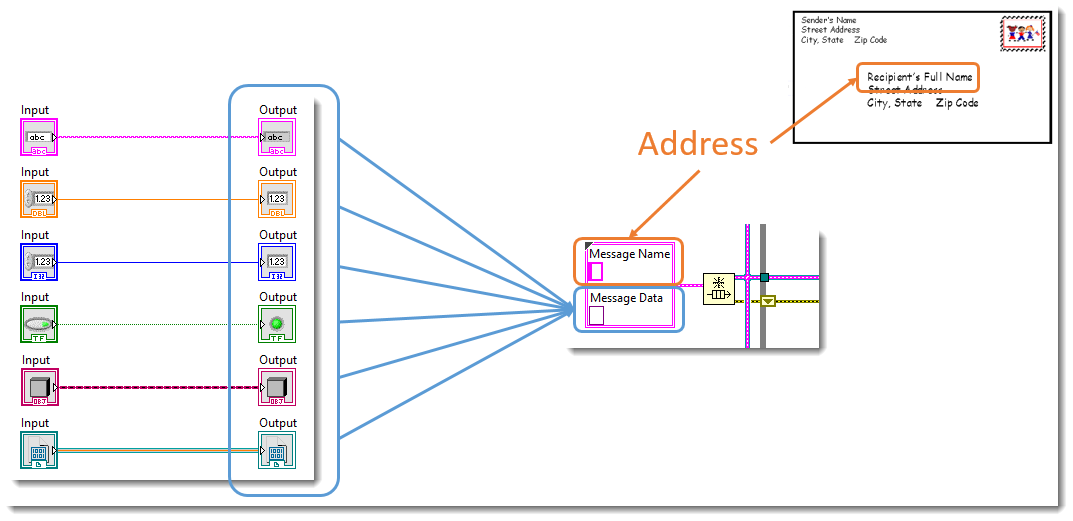 If we think of the queue wire, which is our message transport, as addressing to a specific loop then we can see how the string adds granularity to the address by allowing us to execute a particular case in a case structure within the loop. This is analogous to adding a persons name to the address of an envelope; without the name on the address the envelope will be delivered to the correct house but who knows if the correct person will open it. 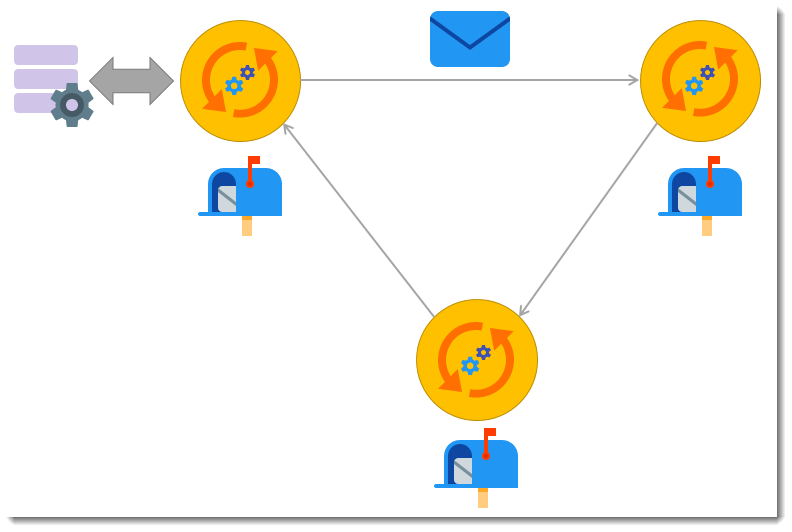 In the image above, each yellow circle is an actor, each actor has state and a mailbox, and the actors work together by messaging each other with requests to do work, notification of events, and data. In this type of design, the system is comprised of multiple actors working together. LabVIEW has a native implementation of actor-oriented programming, known as the Actor Framework, but an actor can be any self contained module that uses message transports to send messages to other actors. 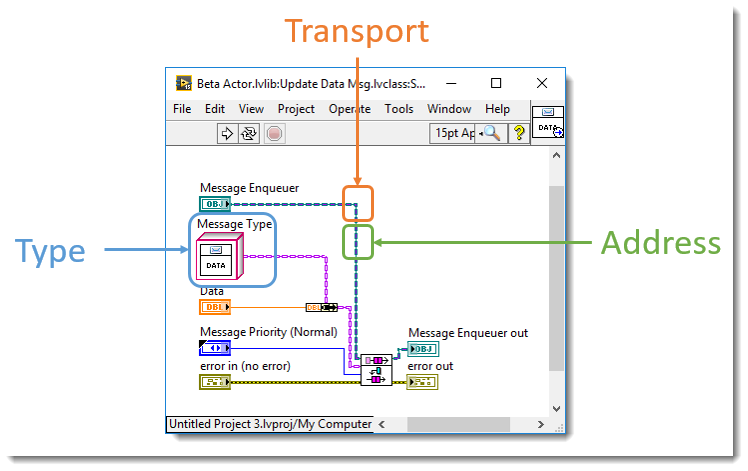 I don't want to dive too deeply into the Actor Framework here but I thought it would be worth looking at its message implementation. The image above shows the send method of an Actor Framework message class. We can see that the message transport is an object-oriented queue API, that the message type is a message object, and that the address is the message transport. Actor Framework messages make use of the command design pattern to invoke the messaged actor's methods. 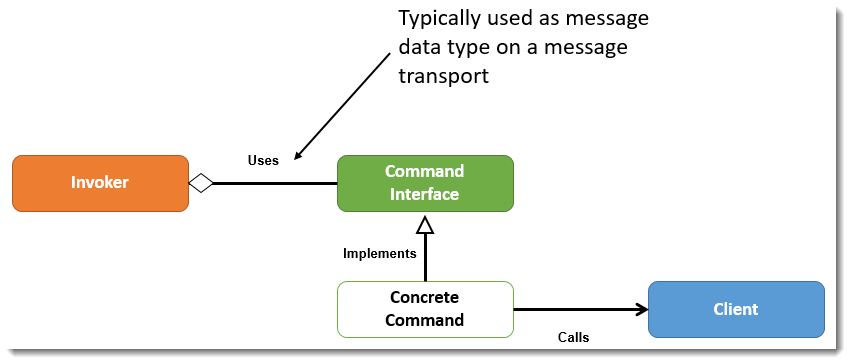 Above is an image showing some simple UML for how the classes work together in the command pattern. Below is the same diagram but shown with the Actor Framework objects. I won't get into any more detail regarding how the Actor Framework is implemented, I just wanted to illustrate its use of the command pattern before moving on. 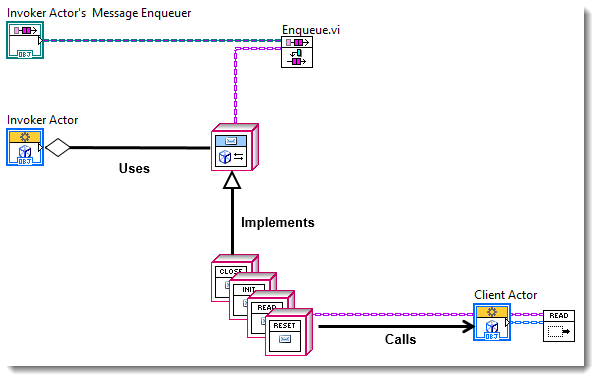 As actor-oriented systems grow in size they can also grow in complexity as the messaging schemes can couple the actors together. This coupling comes from the fact that the actors need to know the addresses of the actors that they need to interact with. 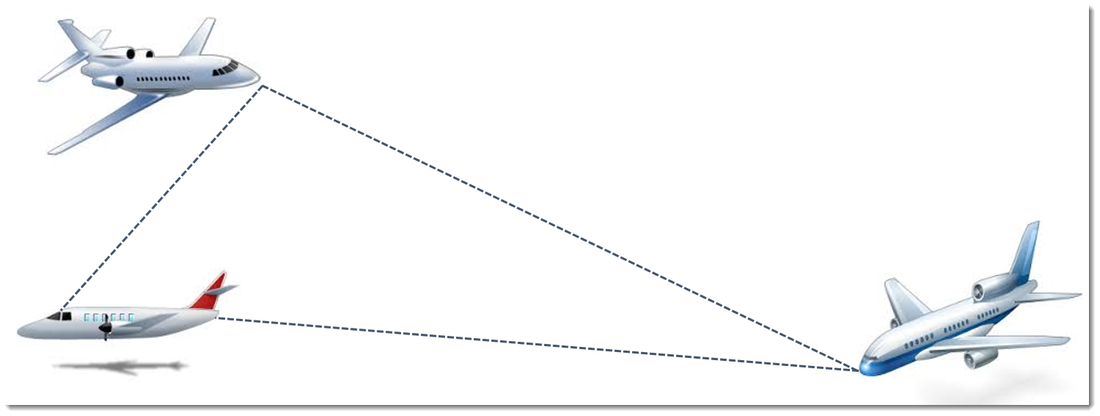 Let's consider the analogy above, where each airplane is an actor. It wouldn't be difficult for the pilots of three airplanes to communicate with each other in order to assure that they were all flying at a safe distance. 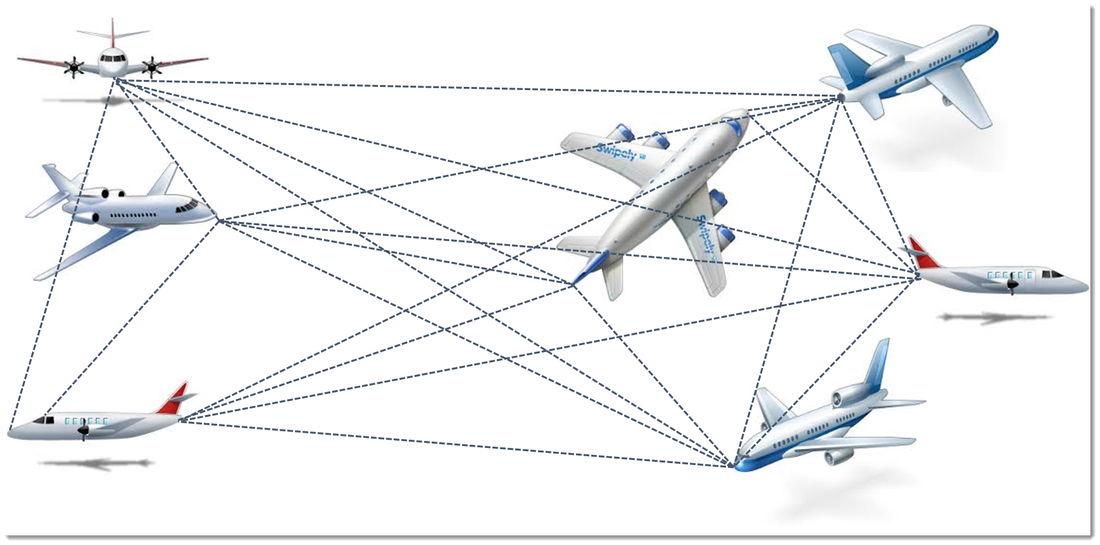 As the system grows in complexity it becomes harder to understand. Sticking with the analogy, I assume that the probability of a mid-air collision would go up if every pilot had to keep track of where neighboring planes were while flying. Similarly, as communication between actors in our software becomes more complex our software can become harder to read, maintain and test. 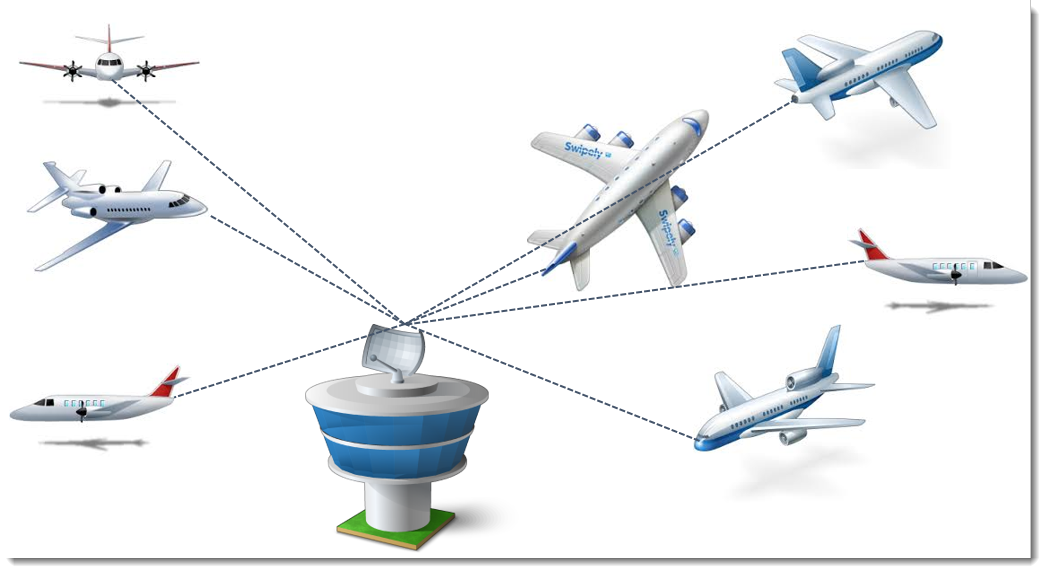 There is a software design pattern called the Mediator Pattern that maps well to the airplane analogy above. The air traffic control tower mediates all communication between the airplanes, which is analogous to how a message broker mediates communications between modules in the mediator design pattern. A simpler variation of the mediator pattern is the event aggregator pattern. The following image is diagram from Dmitry Sagatelyan's 2015 CLA Summit presentation titled, "Actor Programming without an Actor Framework". In his presentation Dmitry speaks in depth about the design behind a LabVIEW implementation of the mediator pattern/event aggregator pattern, check out his presentation for more details. 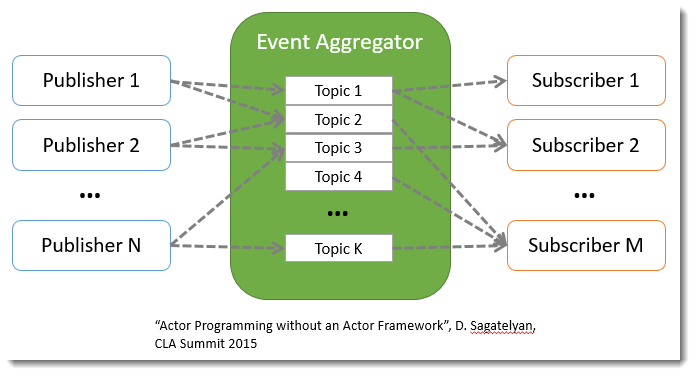 When an actor registers as a publisher with the event aggregator, the event aggregator spins up a topic actor. The topic actor handles all message routing for messages of that type. Notice that the pattern allows for N publishers and M subscribers, and that an actor can both publish and subscribe. 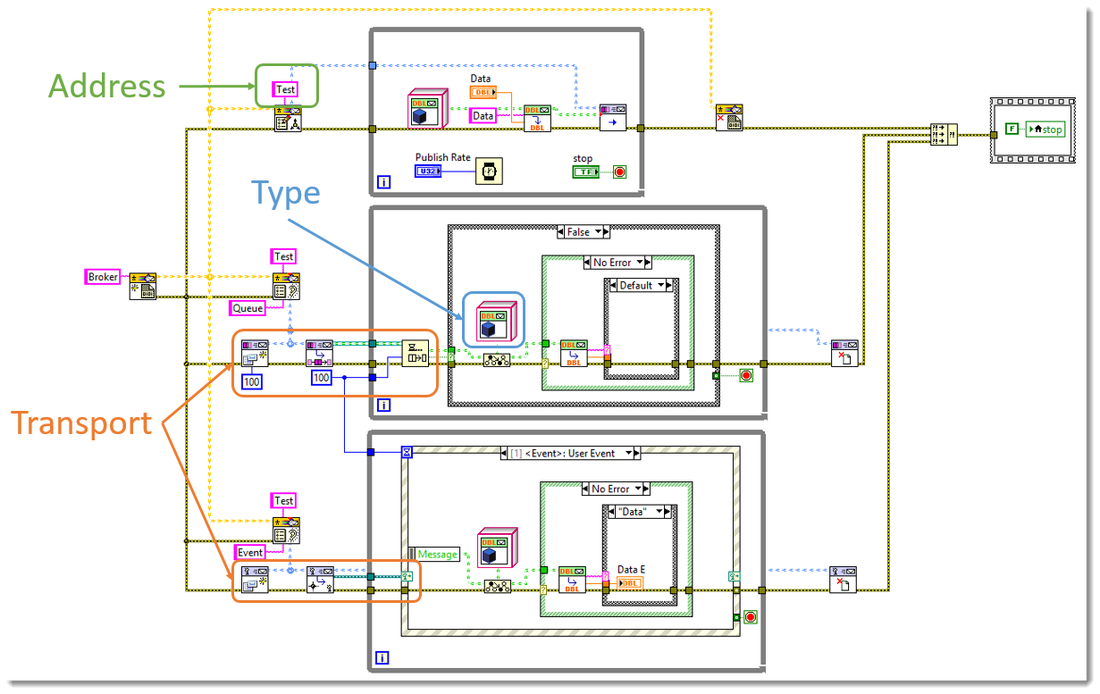 The above image shows a piece of example code using the event aggregator implementation. We can deconstruct it to see how it handles the idea of type, address and transport. Notice that the type is a message object, similar to the Actor Framework. However one big difference from the other messaging schemes we have looked at is that the address is not the same as the transport. The addresses is the registration name, which in the above image is "Test". We are able to separate the address from the transport because this implementation allows us to abstract the transport in the same way that we abstracted the type previously. 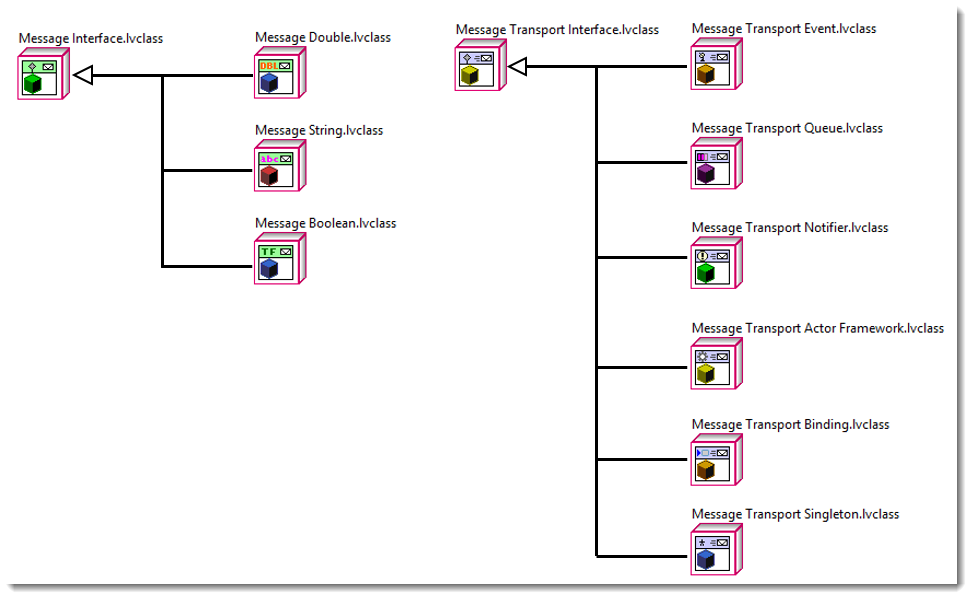 Abstracting the message transport means that one actor can produce data and put it on a queue for publication, while subscribers can receive the data via dynamic events or notifiers (or any other transport that we want to implement). This means that in order for actors to communicate they will only have to agree on type and address, where address is now registration name. 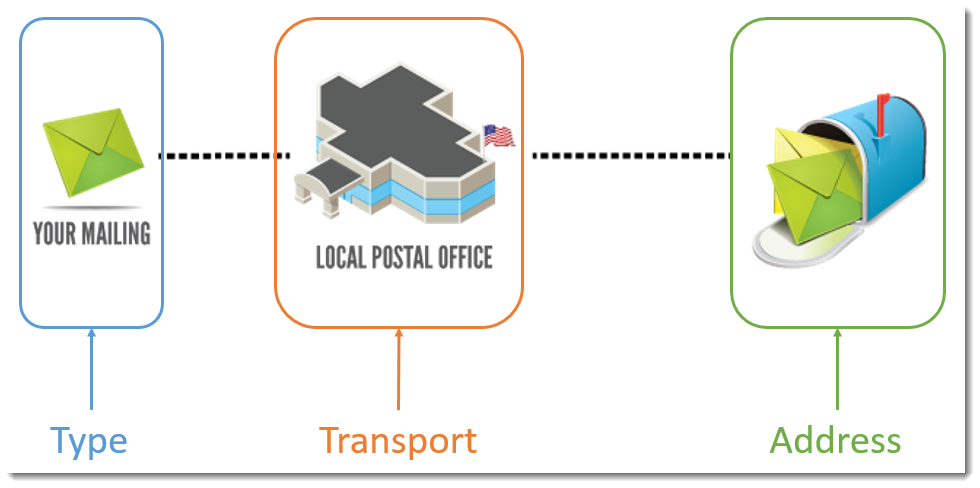 We can think of the postal service as an abstraction of message transport. If I want to mail a letter I have to know its type and address, but I rely on the postal service to abstract the actual transport away for me. I don't care if they use the pony express, boats, trucks or airplanes to get my letter where it needs to go, for the postal service to meet my needs the recipient of my message and I only need to agree on the message's type and the recipient's address. We can take advantage of similar abstractions in our code with the mediator pattern/event aggregation pattern. 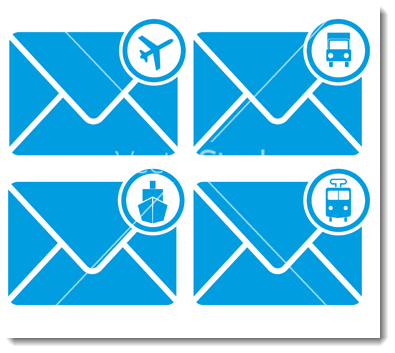 You can download a VI Package with the mediator pattern implementation below. The VIP is for LabVIEW 2014 and higher. Jon McBee is a Principal Software Engineer at Cambridge NanoTech and is a Certified LabVIEW Architect, Certified LabVIEW Embedded Developer, Certified TestStand Developer, an NI Certified Professional Instructor, a LabVIEW Champion, and a Certified ScrumMaster
3 Comments
Jon McBee
8/1/2016 02:33:44 pm
Hi Gregory,
William Ortez
11/15/2017 07:17:20 pm
Your blog is beautiful! Much appreciated. Leave a Reply. |
Tags
All
Archives
October 2019
LabVIEW Blogs |
 RSS Feed

Powered by the Panda Ant
|