|
If you were paying close attention as you went through the blog post on the root loop you may have noticed a little slight of hand. I may have been stung, but I'm not sure. 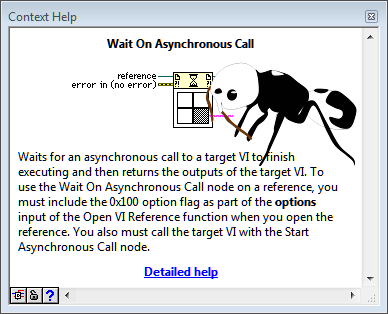 During the Open VI Reference video clip you may have noticed that as the Start Asynchronous Call by Reference and Wait on Asynchronous Call by Reference nodes were executing and I was opening context menus to show that the root loop didn't come into play that I skipped over the calendar popup on the time stamp control. Here is why: 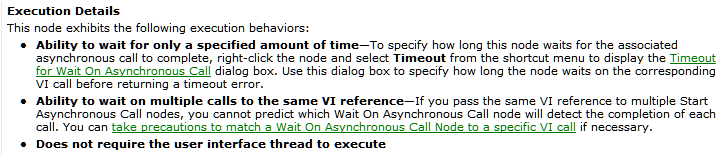 From this test it looks like the calendar popup actually does interfere with execution of the Wait on Asynchronous Call node. FYI, this test was done in LabVIEW 2014, but I see the same results running it in LabVIEW 2013. Taking a look at the detailed help for that node we see: Notice the last bullet point, this node should not require the user interface thread to execute, and in fact it doesn't for everything I have tested aside from the calendar popup. I don't know if this can be pinned on the root loop or not, in fact it is entirely possible that I am missing something simple here (chime in if you see it). Something Simple (Kind Of)Thoric noticed the something simple I was doing wrong and mentioned it in the comments below, I'm adding his observation to the blog post so that people don't miss his thoughts in the comments below. Here is what he noticed: OK - try moving the Close Reference outside the final for loop. That changes things. It appears Close Ref is halted by the presence of the calendar dialog window. Not sure why yet... It was a great observation and shows that the blocking has nothing to do with the Wait on Asynchronous Call node. We can instead show that the blocking happens while the close reference node is executing. Here is an updated video clip: As Thoric suggested, I have moved the Close VI Reference node out of the for loop containing the Wait on Asynchronous Call node. There is no reason not to wire the array of VI references directly to the Close VI Reference node, I put it in a For Loop to make it easier to show that it is in fact being blocked by the calendar control. Why does the calendar control block the Close VI Reference node? Jon McBee is a Principal Software Engineer at Cambridge NanoTech and is a Certified LabVIEW Architect, Certified LabVIEW Embedded Developer, Certified TestStand Developer, an NI Certified Professional Instructor, and a LabVIEW Champion
10 Comments
Thoric
2/11/2015 03:27:11 am
I don't have an answer, but interestingly if I take your VI (an identical mock-up), and use a boolean to fire an event to launch <resource>/dialog/picktime.vi (which is the Time Stamp control's Set Date and Time dialog) then it doesn't interfere with Wait on Asynchronous Call. This means the calendar control is specifically doing something interfering and it's not necessarily the dialog that pops up that's to blame. Figuring out that particular call mechanism could glean another clue?
Thoric
2/11/2015 03:36:30 am
OK - try moving the Close Reference outside the final for loop. That changes things. It appears Close Ref is halted by the presence of the calendar dialog window. Not sure why yet...
Jon McBee
2/11/2015 03:40:36 am
Great catch! I had a feeling I was playing some role in the issue. Now, onto why the Close Ref is halted...
Jon McBee
2/11/2015 04:25:58 am
Any idea how the picktime.vi is used by the dev environment? If I edit that file, save it, and restart LabVIEW I dont see my changes taking hold. Makes me wonder if the dev environment isnt using the copy of the vi in the resources directory.
Jason Case
3/4/2015 05:09:06 am
The problem above is not actually a root loop related problem. It is just a UI thread issue.
Jon McBee
3/17/2015 06:13:54 am
Hi Jason,
Jason Case
3/17/2015 07:22:13 am
The dialog you see is a VI we have saved in a resource. When the button is clicked, we have C++ code that runs in the UI thread that will load and call the resource VI.
Jason Case
3/24/2015 07:03:46 am
After posting the response about why this is a problem, I had an idea on a possible fix for this specific problem. I'm not positive my idea will work, but I think it should. I reopened a bug report on this issue and now it is a matter of scheduling time to try my fix. Leave a Reply. |
Tags
All
Archives
October 2019
LabVIEW Blogs |
 RSS Feed

Powered by the Panda Ant
|